shend.dev
// How it works

Papirun is one operating system for delivery.

Not a website — one platform that handles the entire loop: ordering, admin operations, ECT auto-assignment, live GPS, driver app, menu management and KPI tracking. Three role-isolated surfaces (customer, admin, driver) sit on a single PostgreSQL backbone, wired together by Realtime channels and a custom dispatch engine.

3
role-isolated apps
1
PostgreSQL backbone
5s
GPS refresh
ECT
auto-dispatch
Papirun — Customer places the order
01Step 1 of 7

Customer places the order

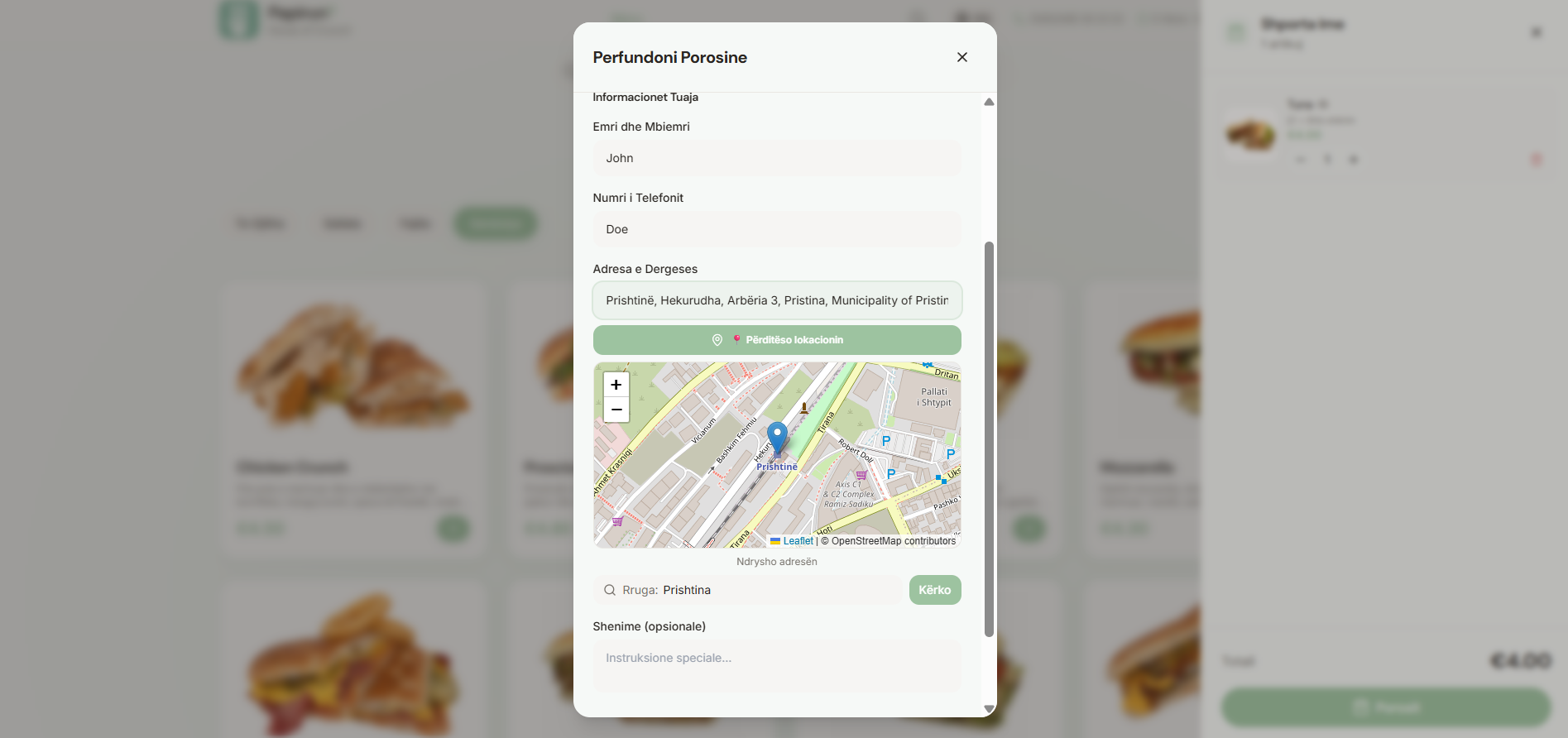
The customer browses the menu, builds a cart, fills in name, phone and a live-map delivery pin (geocoded against the city). On submit the order is persisted in PostgreSQL with full address, items, totals and a structured note field — ready for the kitchen.

  • Live map pin with reverse geocoding (Leaflet + OpenStreetMap)
  • Cart state survives refresh and device switches
  • PWA installable — works offline up to checkout
  • Optional special instructions per order
Papirun — Admin sees it instantly
02Step 2 of 7

Admin sees it instantly

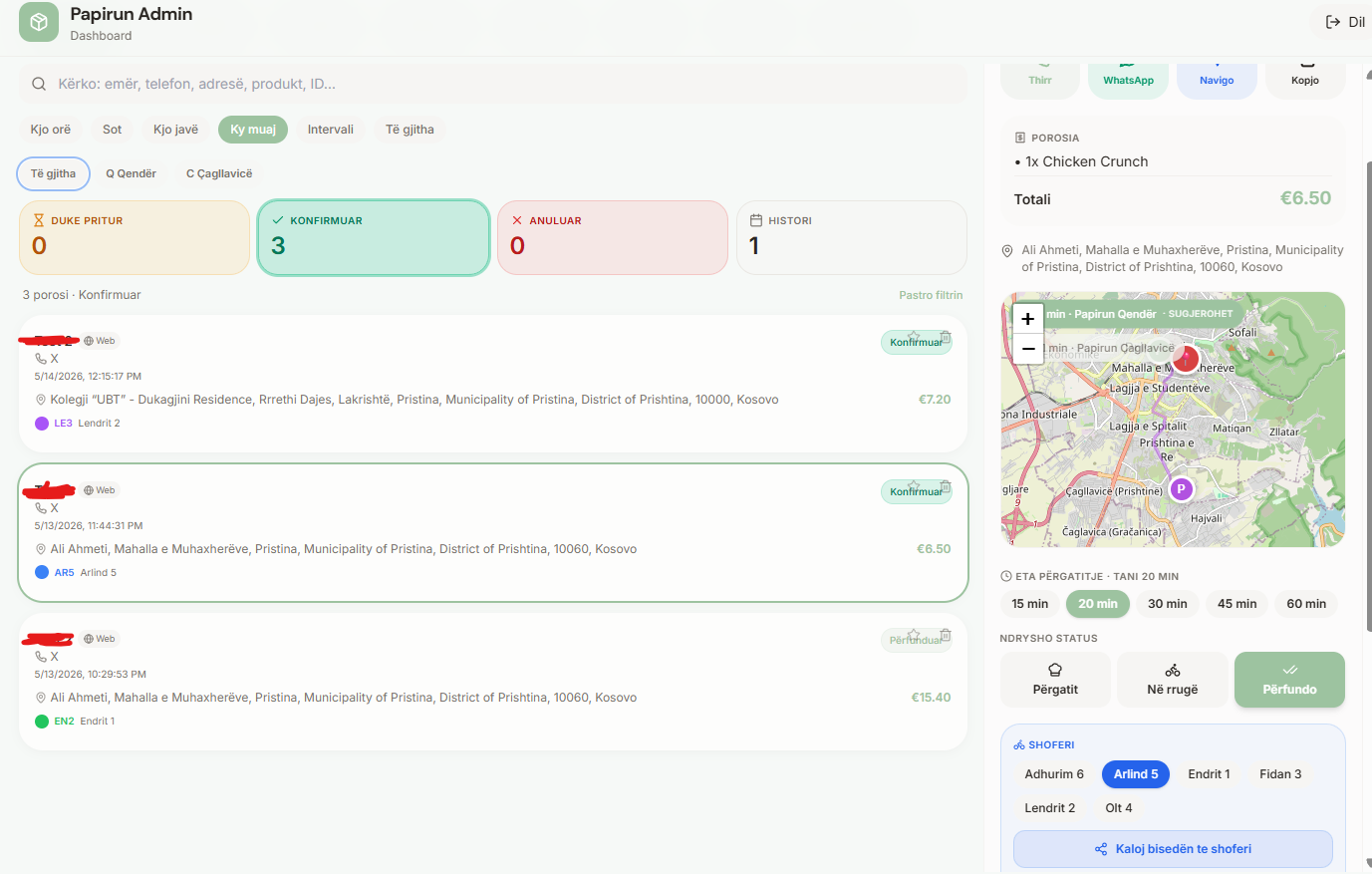
The new order shows up in the admin queue in real time over WebSockets — no refresh needed. The dispatcher filters by Today / Hour / Week / Month / Custom interval, jumps between branches, and acts directly from the row: call, WhatsApp, navigate or copy the address.

  • Realtime PostgreSQL channels — every state change pushes
  • Per-branch routing (Q Qendër / C Çagllavicë)
  • Status pipeline: Pending → Confirmed → Cancelled → History
  • One-tap actions: call, WhatsApp, navigate, copy address
Papirun — Approve & auto-assign — the ECT engine
03Step 3 of 7

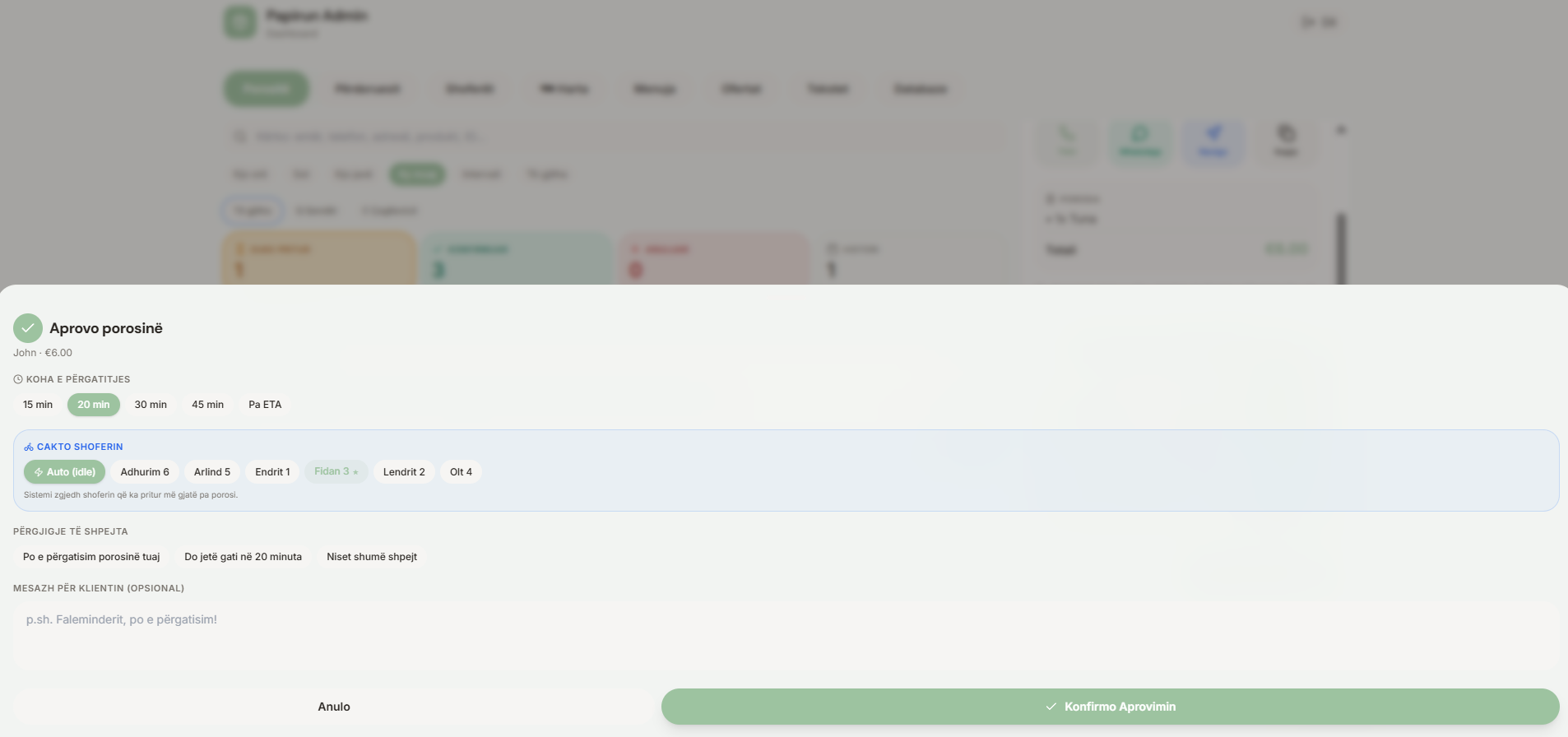
Approve & auto-assign — the ECT engine

Admin picks the prep time (15 / 20 / 30 / 45 / 60 min or no-ETA). The custom ECT (Expected Completion Time) algorithm proposes the driver who has been idle the longest, balanced against active workload, so the fleet self-levels. Auto (idle) is the default; a human can override in one tap.

  • ECT engine ranks drivers by idle time + active orders
  • Quick-reply messages auto-fire to the customer ("preparing — ready in 20 min")
  • Manual driver override always available
  • Confirmation writes a single transactional state change
Papirun — Driver roster & workload board
04Step 4 of 7

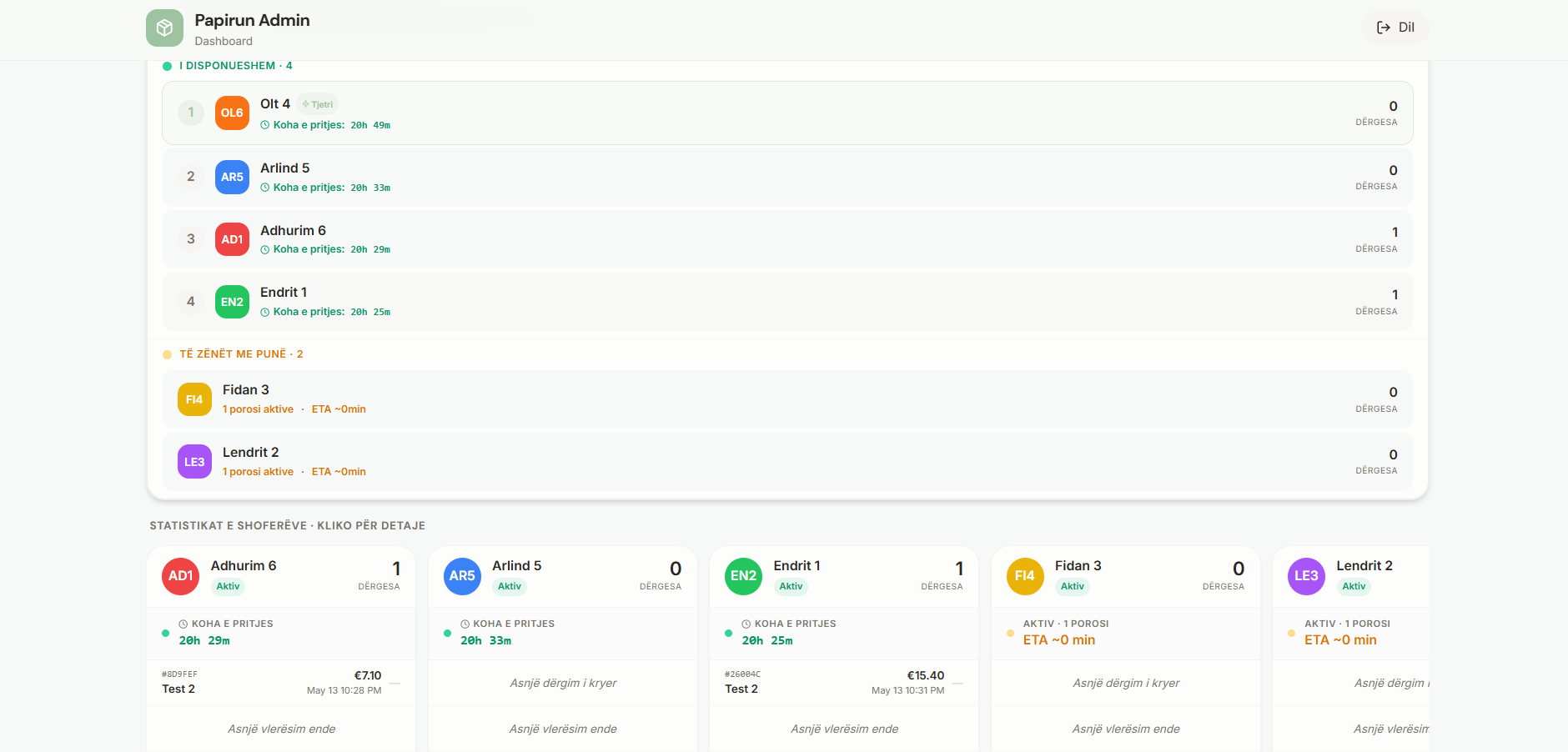
Driver roster & workload board

A live overview of the entire fleet: who is available, who is busy, current ETA, today's deliveries per driver, average rating and revenue contribution. The dispatcher sees the operation at a glance and can intervene in seconds.

  • Available vs Busy split with idle timers
  • Per-driver KPI cards: deliveries, status, ETA, revenue
  • Click-through to a driver's full performance & history
  • Color-coded avatars match the live map markers
Papirun — Live GPS map of the fleet
05Step 5 of 7

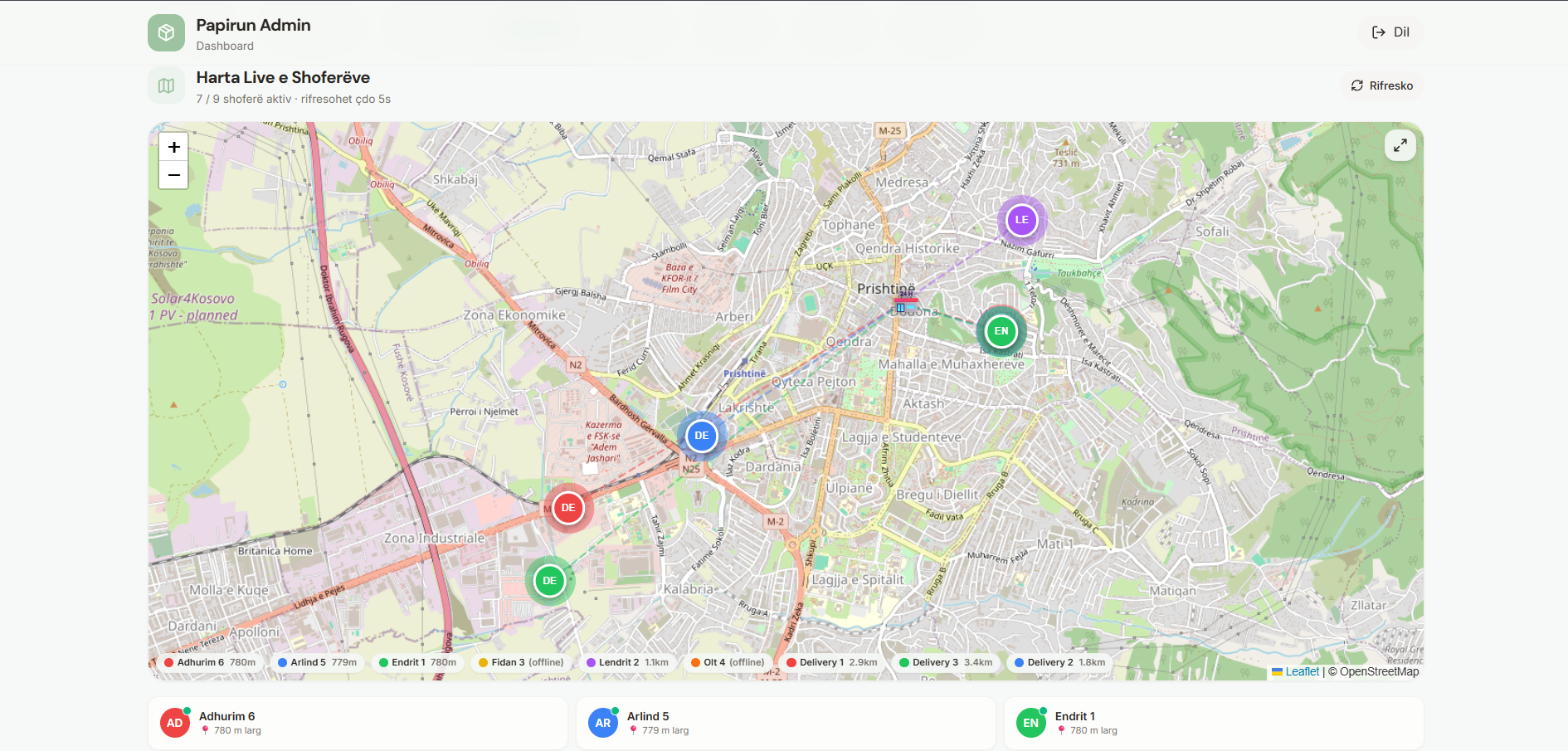
Live GPS map of the fleet

All active drivers stream their GPS to a Leaflet / OpenStreetMap canvas, refreshed every 5 seconds. Each marker shows the driver's distance from the restaurant, online state and which order they are currently running.

  • 5s polling with optimistic marker movement
  • Distance-to-restaurant computed server-side
  • Offline drivers grayed out automatically
  • Click any marker to open that driver's order context
Papirun — Driver app — pickup → deliver
06Step 6 of 7

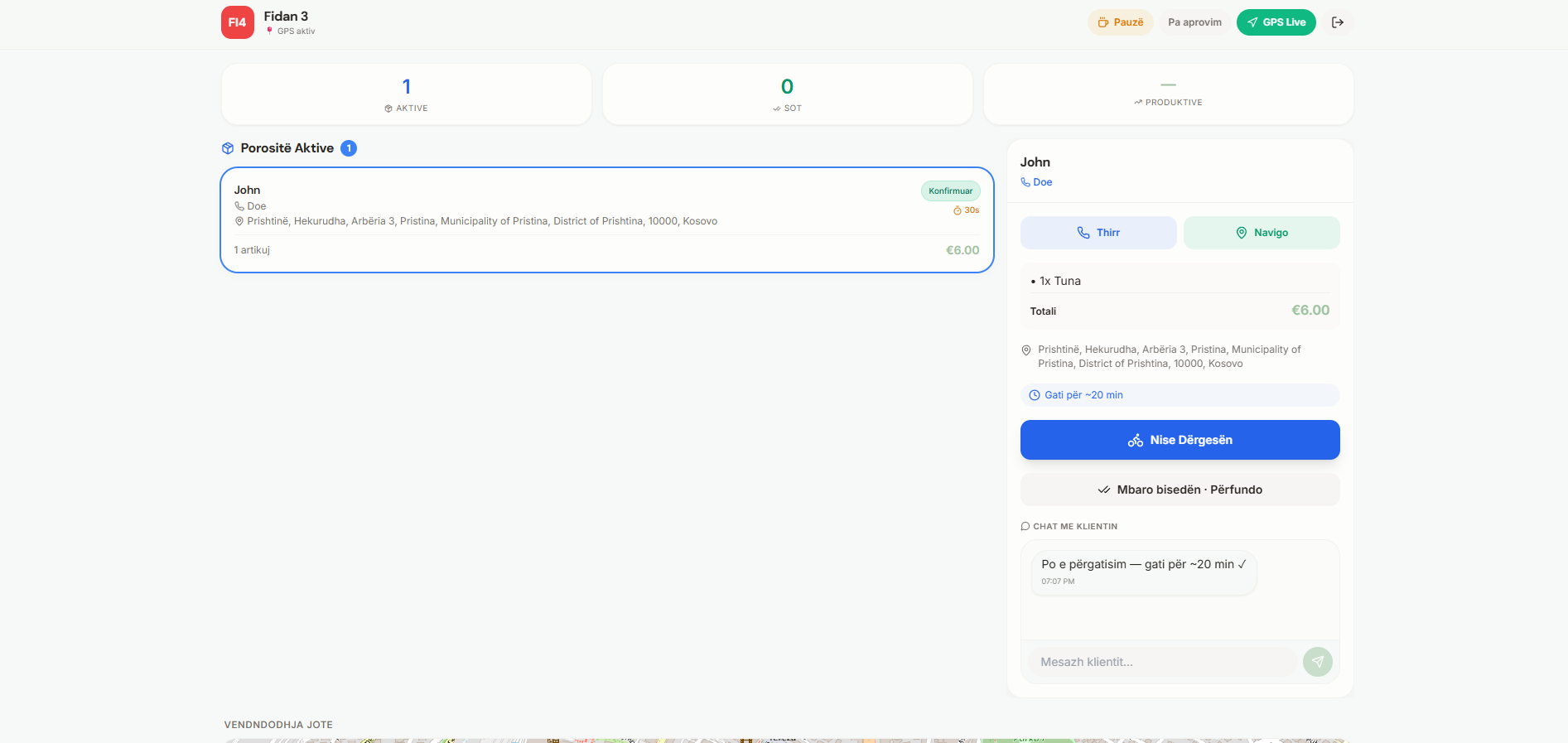
Driver app — pickup → deliver

The assigned driver gets the order on their own role-isolated app: customer name, address, items, prep ETA. They tap Start to begin the run, navigate via the system map, chat with the customer if needed and close the loop with Complete.

  • Native push, haptics and background GPS via Capacitor
  • In-app chat thread per order (driver ↔ customer ↔ admin)
  • Pause / Unapproved / GPS Live toggles for the shift
  • Auto end-of-day summary: deliveries, distance, earnings
Papirun — Menu, ingredients & i18n built in
07Step 7 of 7

Menu, ingredients & i18n built in

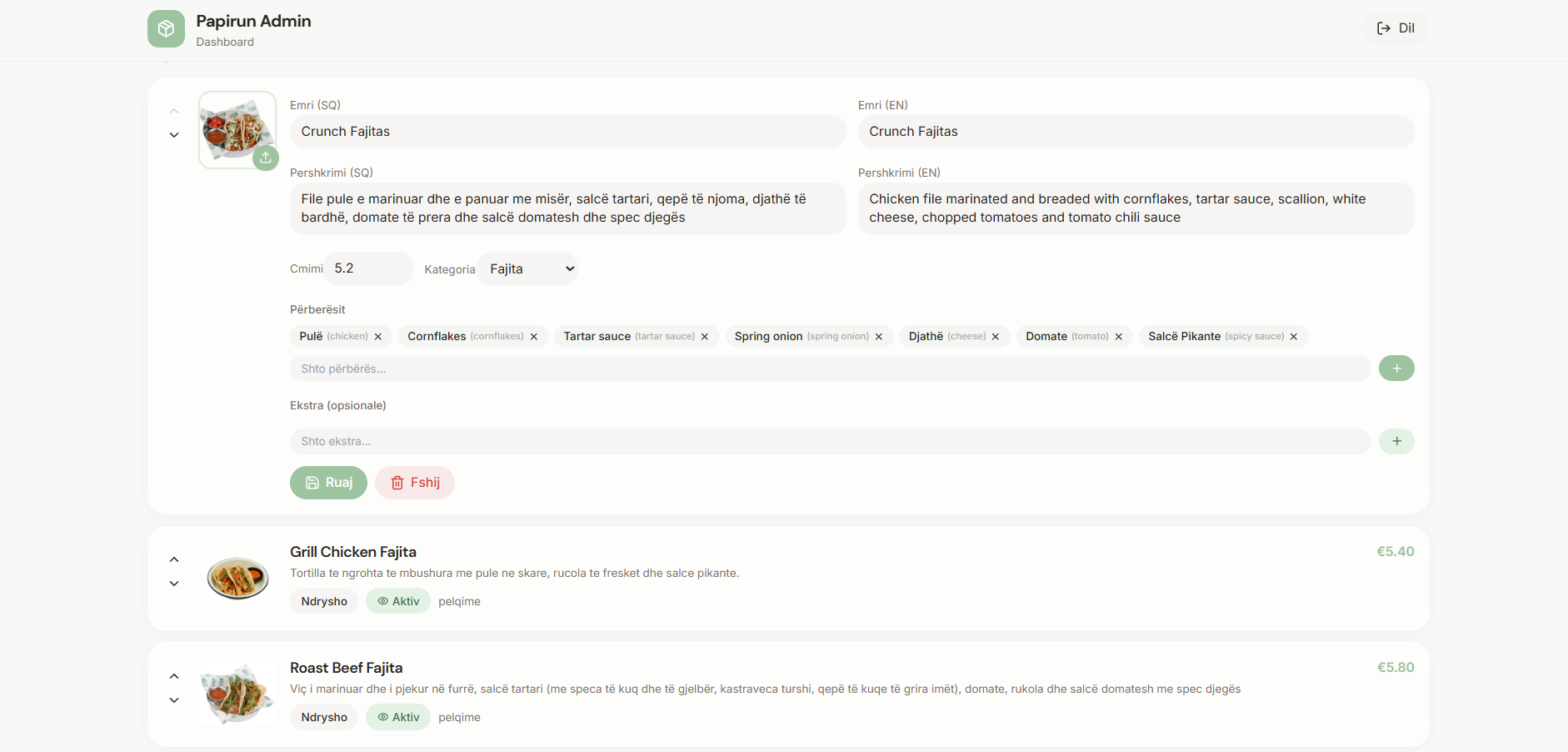
The same admin manages the menu — bilingual (SQ + EN) names and descriptions, price, category, ingredients and optional extras. Whatever the customer sees on the ordering app is editable here, no developer required.

  • Full bilingual content per item (Name SQ / EN, Description SQ / EN)
  • Categories, ingredients, optional extras
  • Image upload with auto-thumbnailing
  • Active / inactive toggle without deleting historical orders
// Why it matters

One system. Whole operation.

Orders, menu, dispatch, GPS, chat, ratings and driver-efficiency overviews all live on the same PostgreSQL backbone. Customer, admin and driver apps are physically isolated by Row-Level Security so they can never see each other's data — but operationally they move as one.